poniedziałek, 13 listopada 2023
piątek, 24 marca 2023
USB pendrive & Clion
Instalowanie CLion na pendrive
Nie zapomnij zostawić łapki do góry , jeśli obejrzałeś nagranie.
JetBrains Product Pack for Students
czwartek, 23 marca 2023
Modernizacja obiektu szkoły
Skala 1:50
Wymiar makiety 210cm x 120cm samego obiektu.
Materiały: spienione PCV
południe
wschód
zachód
północ


Dane do wykonania kształtek

czwartek, 23 lutego 2023
Jak zainstalować Joomla 4 Template
Jak zainstalować Joomla 4 Template
https://bartdurak.github.io
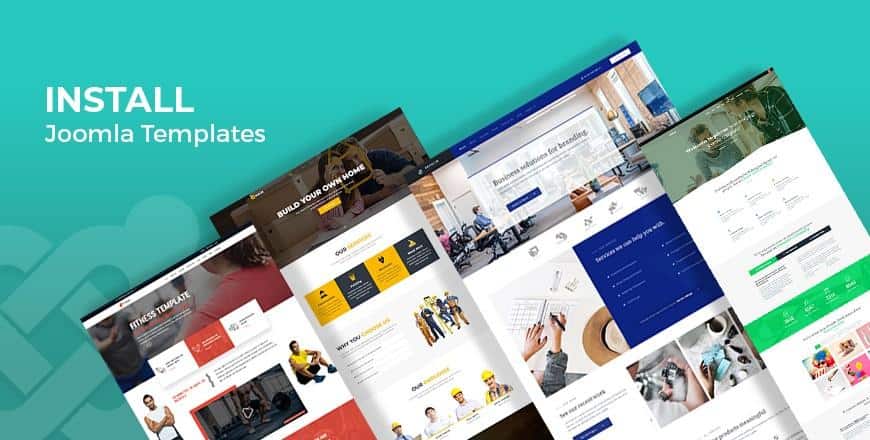
There are several processes available for installing a Template in Joomla. With some simple step by step action, you can easily install your own favored Joomla Template.
However, the most acceptable recommendation would be to install your Template manually. It is the best practice as well as a trouble-free understandable method to be considered.
The first thing you need to do is to find out a preferable Joomla template that you willing to use and then download it on your hard drive. Currently, there's been lots of professionally designed Joomla templates on the market to choose from for any purpose of use.
I would recommend you to check out Morph - one of the best free Joomla templates on the planet ever.
Steps to Install a Joomla Template
Once you are done with Joomla template download, then the real installation process begins with some simple steps.
Step 1
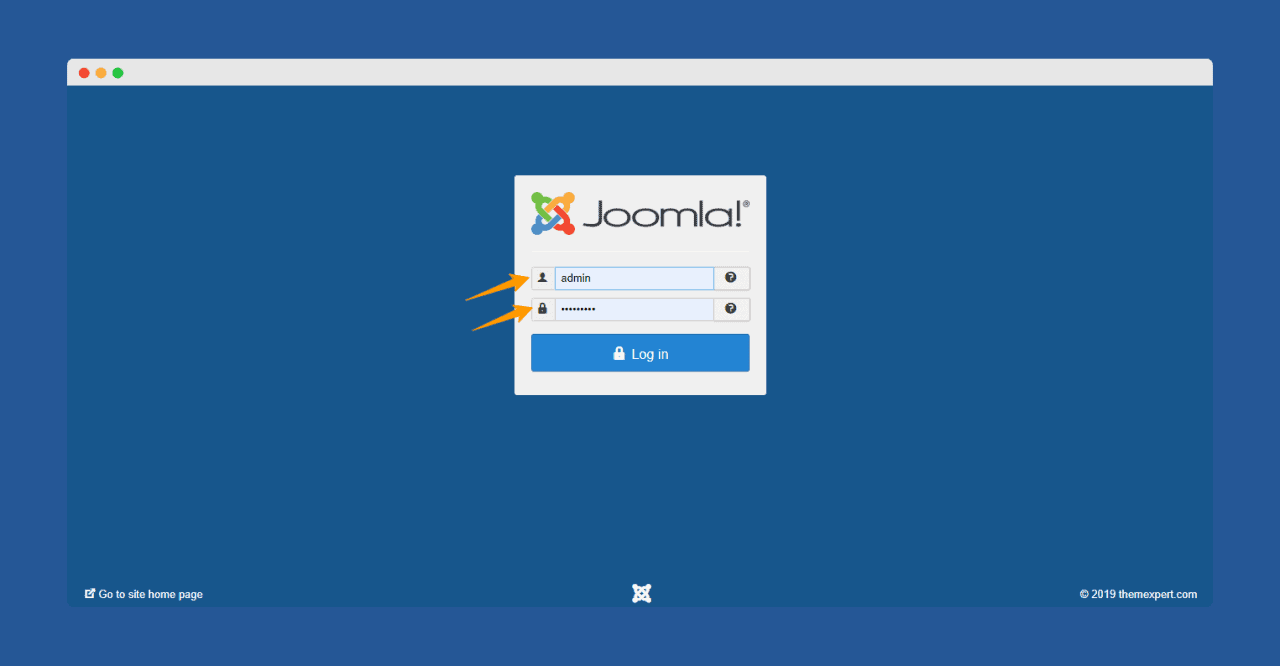
At First, log in to your Joomla control panel using your "Username" and "Password."
Step 2
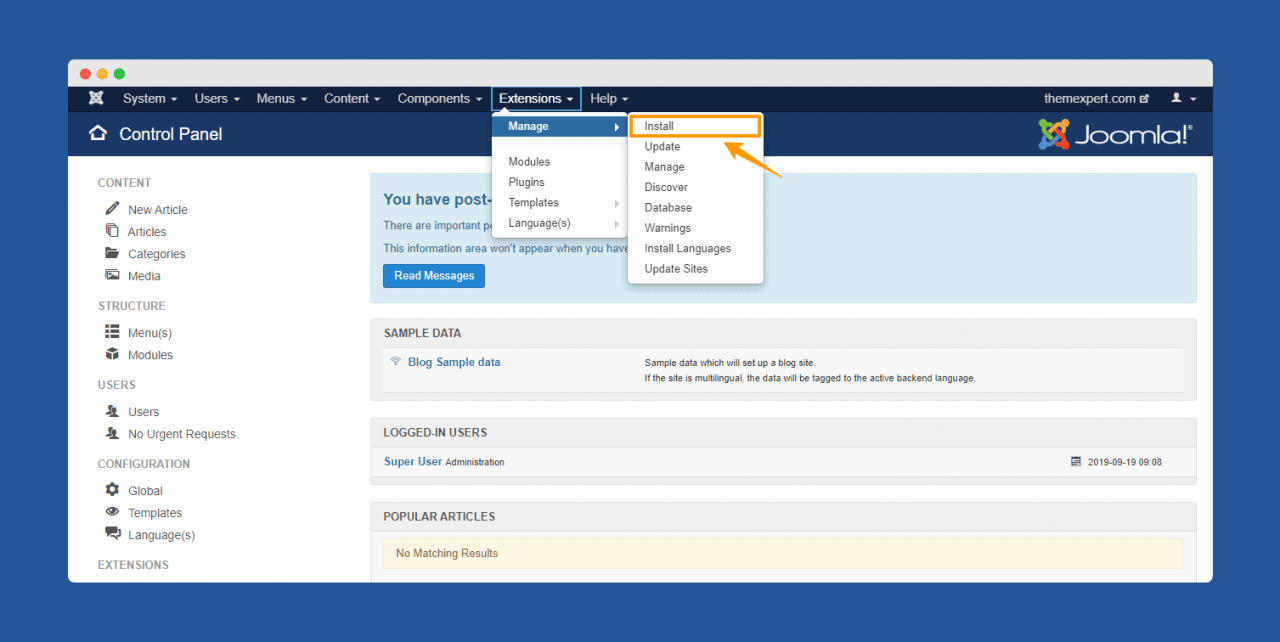
Next, click on the Extension. From the drop-down menu, click "Manage" and then select "Install".
Step 3
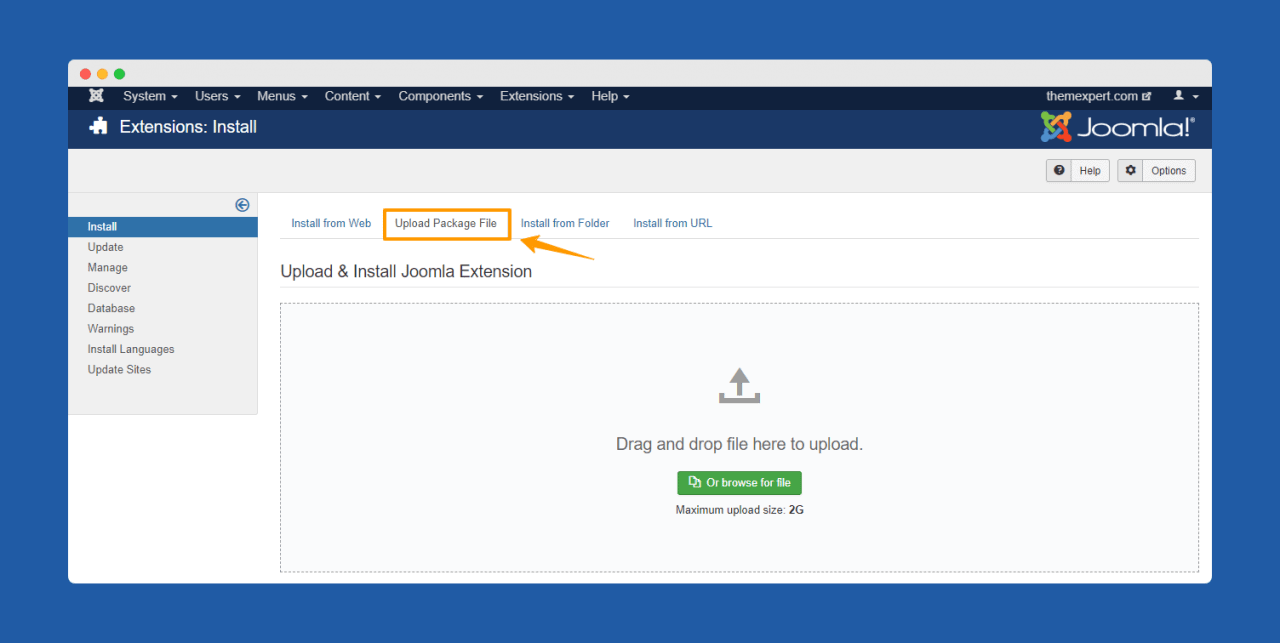
A new Installation page will appear there. Now select "Upload Package File" from the tab options.
Step 4
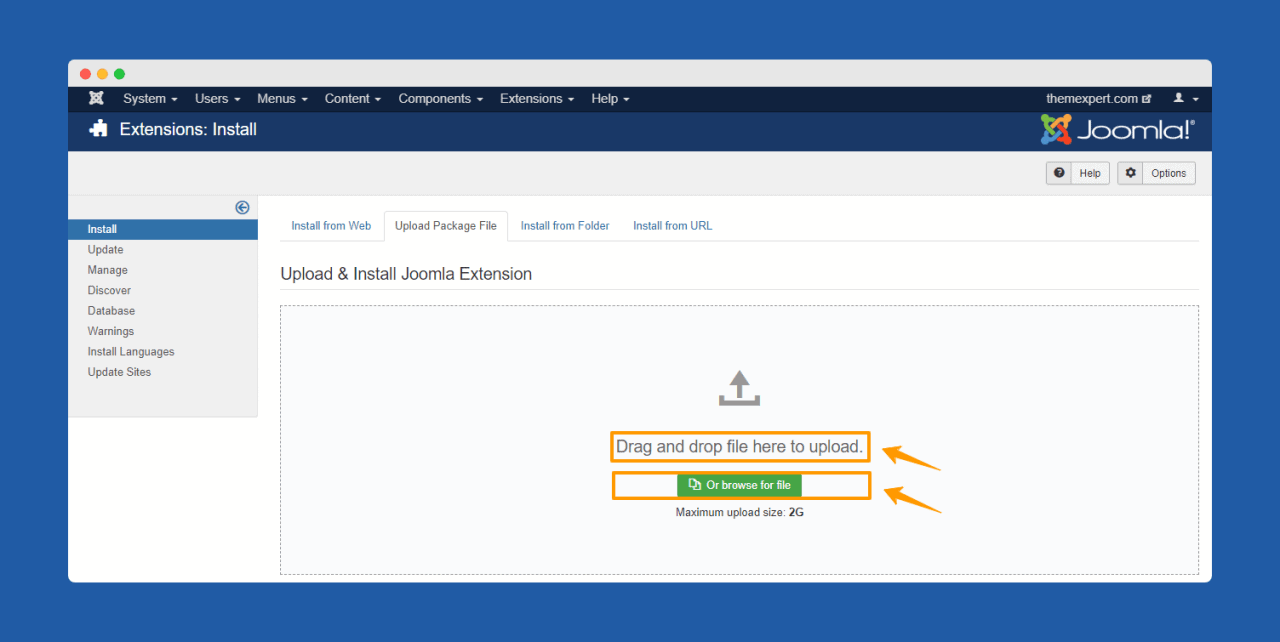
Then "Drag and drop the file directly there" or click "Or browse for file" button, browse to the location of your extension's archive on your local computer and select it .
Note: The template has now been installed if you have chosen the right package. Wait for a second; you must see a message that "Installation of the template was successful". Your template is now ready to live now.
Step 5
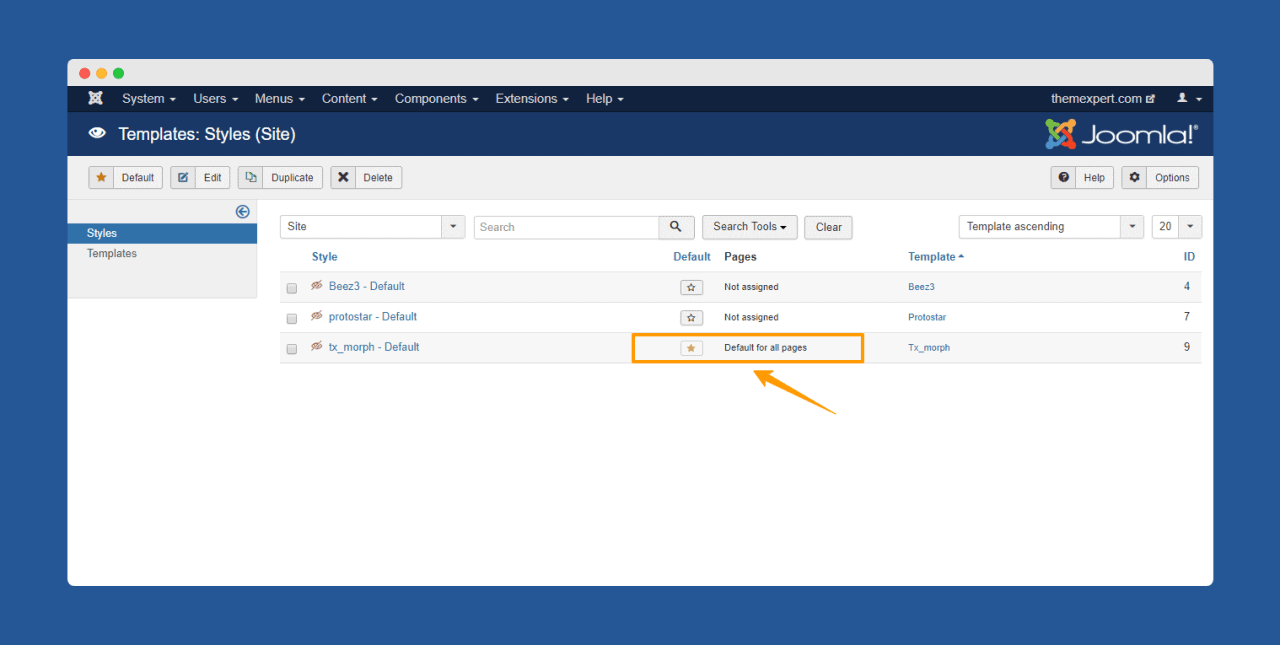
Now, if you want to make the template as default for all the pages of your site, then go to Extensions > Templates > Styles and set your template to default by clicking the star button.
This is all of it for installing a Template for Joomla. Now, you can customize your template as your preferred way also get your necessary extensions, components, modules, and more on.
piątek, 23 grudnia 2022
piątek, 18 listopada 2022
Besta i przeprowadzono szkolenia dla uczniów: technik budownictwa w szkole ZST Kolbuszowa
W siedzibie Besta i przeprowadzono szkolenia dla uczniów: technik budownictwa w szkole ZST Kolbuszowa
"W BESTA Przedsiębiorstwo Budowlane wiemy jak ważna jest edukacja przyszłego pokolenia budowlańców! 👷
cytat ze strony firmy BESTA w Rzewszowie
Robimy strop, ps budownictwo ZST Kolbuszowa .@pbud21 https://t.co/LgXqZ8uoqx
— Bartek 🇵🇱 (@batq2) November 18, 2022
@mechatronikaedu #ZST_Kolbuszowa #Bartłomiej_Durak #Budownictwo ♬ dźwięk oryginalny - duracel_reaktywacja
Dlatego rozpoczęliśmy specjalny cykl szkoleń zawodowych dla uczniów szkół budowlanych z województwa Podkarpackiego z zakresu nowoczesnych systemów szalunkowych i deskowań."
@mechatronikaedu #Bartłomiej_Durak ##ZST_Kolbuszowa #DOKA #Technik #budownictwa #durak #pbud ♬ dźwięk oryginalny - duracel_reaktywacja


środa, 16 listopada 2022
Szalunki w firmie BESTA 2019 rok
Szalunki w firmie BESTA 2019 rok


Geodeta mgr inż. P Wlazło dokonał poprawności ustawienia szalunków

-
https://workdrive.zohoexternal.com/file/v2k7i83a0c6a6662740b0a99036a08ac6bead
-
 W tabelce zamieszczono oznaczenia śrub na rysunku konstrukcyjnym. Oznaczenie spoiny Rodzaje spoin
 -
 Fundamenty w klasie 1TB Rodzaje fundamentów: Podręcznik do pobrania 1. Ława ...